PDF Transaction Extraction Pipeline
A deterministic Python pipeline that converts semi-structured financial statements into validated, analysis-ready transaction data.
- Problem
- Financial statements arrived as PDFs, requiring manual, error-prone data entry before any analysis could begin.
- What I Built
- A Python pipeline that extracts, validates, and structures transaction data directly from PDF statements.
- Impact
- Processed 50,000+ transactions from 100+ monthly statements with full source-level traceability.
- Stack
- PythonpandasPyPDFRegular Expressions
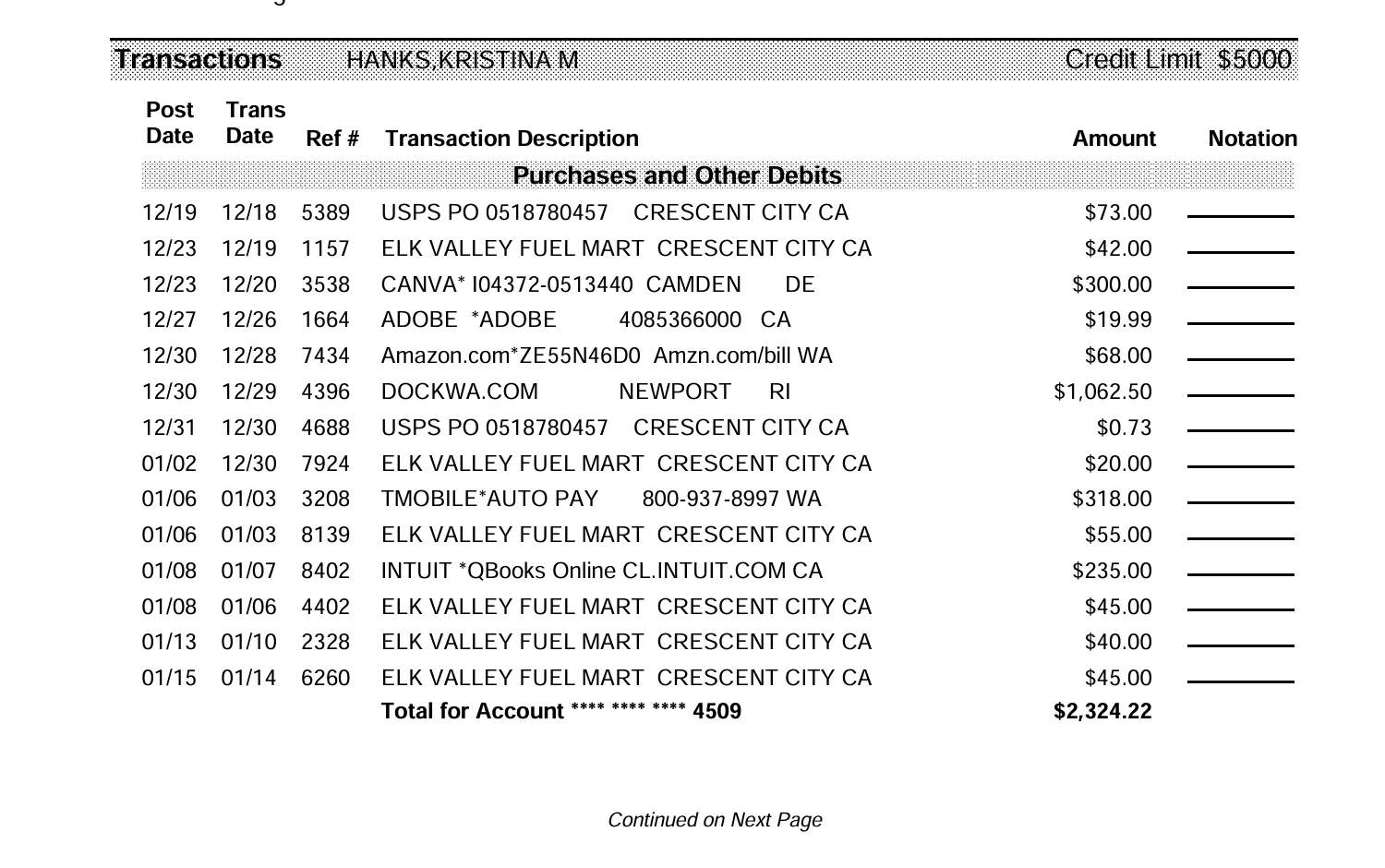
Synthetic credit-card statement representative of the original document structure. All financial data has been replaced for demonstration purposes.
Project Summary
- Role
- Data Analyst & Python Developer
- Sector
- Financial Data Processing and Automation
- Project Type
- Python-based extraction and transformation pipeline
- Tools
- Python, Jupyter Notebook, pandas, PyPDF, regular expressions
- Input
- Semi-structured financial statement PDF
- Output
- Validated DataFrame, CSV, and Excel
+100
monthly CC statements loaded from diverse clients
5
Tailored extraction fields per bank CC statement
Date, time, description, amount, type
+50,000
transactions extracted, ready to analyze/process
Every record
Traceable to source file & page
Input
Output
| Date | Time | Description | Charge | Cashback | Type |
|---|---|---|---|---|---|
| 02 Apr 2024 | 10:35 | Example Merchant | 42.90 | 0.00 | Charge |
| 04 Apr 2024 | 16:15 | Cashback Reward | 0.00 | 1.25 | Cashback |
Decision Context
Financial statements frequently arrive as PDF documents designed for human reading rather than machine analysis.
Before those transactions can be reconciled, categorized, or loaded into downstream systems, they first need to be converted into structured records without losing accuracy or traceability.
The objective was therefore much broader than extracting text from a PDF. The pipeline transforms semi-structured financial documents into analysis-ready datasets that can scale from a single statement to large batches of files.
Key design questions
- Can the document's text be extracted reliably?
- Which text patterns consistently identify transactions?
- How should dates, descriptions, and monetary values be parsed?
- How can transaction lines be separated from unrelated content?
- How can every extracted record remain traceable to its source?
- How can the workflow scale to hundreds of statements?
The Problem
We needed to reliably convert irregular document text into complete, validated, and traceable transaction records.
Although PDF statements appear neatly formatted, their internal text structure is rarely consistent: columns fragment into irregular spacing, unexpected line breaks, and reordered text, making direct analysis unreliable. Every PDF template behaves differently, so a robust workflow begins by analysing the document itself before defining extraction rules.
Existing situation
Required outcome
Copy-and-paste breaks row structure.
Deterministic parsing preserves row structure.
Manual transcription is slow and error-prone.
Automated, repeatable extraction.
Generic PDF converters lose transaction context.
Context-aware pattern matching keeps transactions intact.
Monthly processing creates repetitive administrative work.
Batch-ready pipeline removes the repetition.
Extracted values must remain traceable to source.
Source file and page preserved on every record.
Pipeline Architecture
A deterministic, one-directional pipeline converts each statement into validated transaction records.
01
PDF document
The financial statement as received, before any processing.
02
Text extraction
- Page-level extraction
- Source metadata
03
Preprocessing
- Whitespace normalization
- Character cleanup
- Line standardization
04
Pattern detection
- Regular-expression matching
- Transaction identification
05
Field extraction
- Date
- Time
- Description
- Amount
- Cashback
06
Validation
- Missing values
- Duplicate detection
- Transaction classification
07
Structured dataset
Validated records loaded into a pandas DataFrame.
08
CSV / Excel export
Final dataset exported for downstream use.
09
Exception review
Unmatched or incomplete records routed here instead of the final dataset.
Transactions that cannot be confidently classified are routed to an exception queue instead of entering the final dataset.
Selected Work
Source Document
A synthetic credit-card statement representing the structure of the original source document while removing all identifying information. Shown as the header image above.
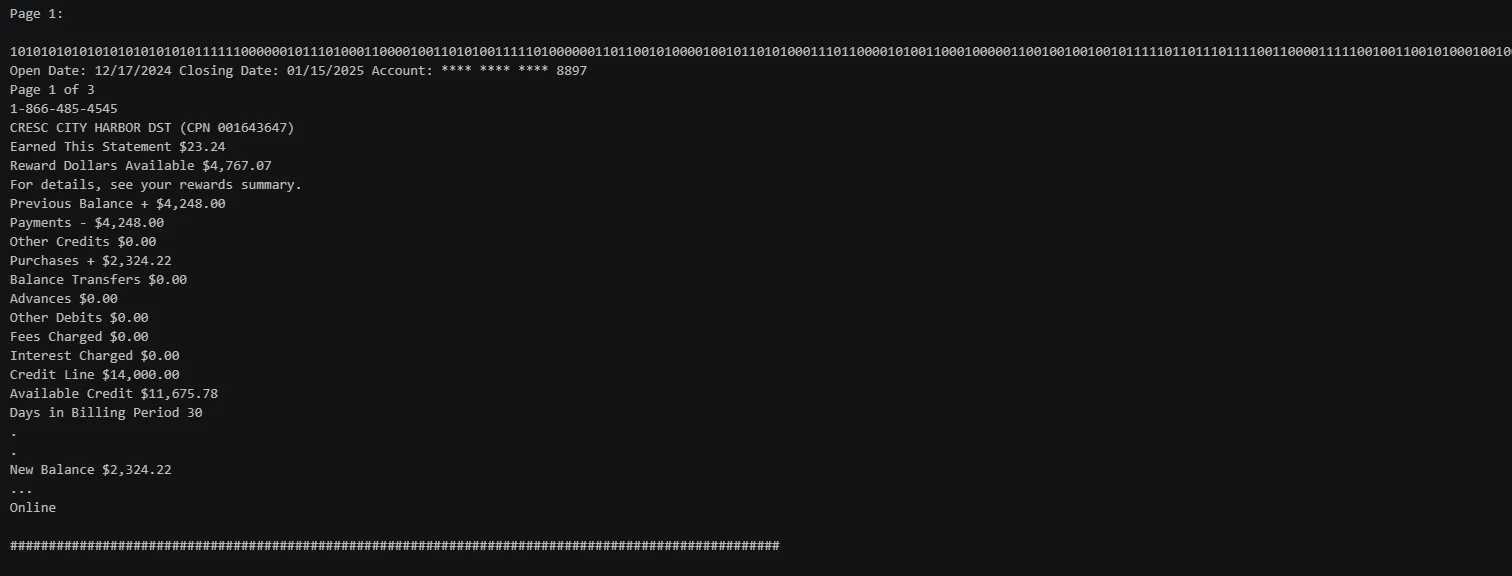
Raw Text Inspection
Inspection of the PDF's internal text representation reveals irregular spacing and hidden line breaks that must be normalized before parsing.
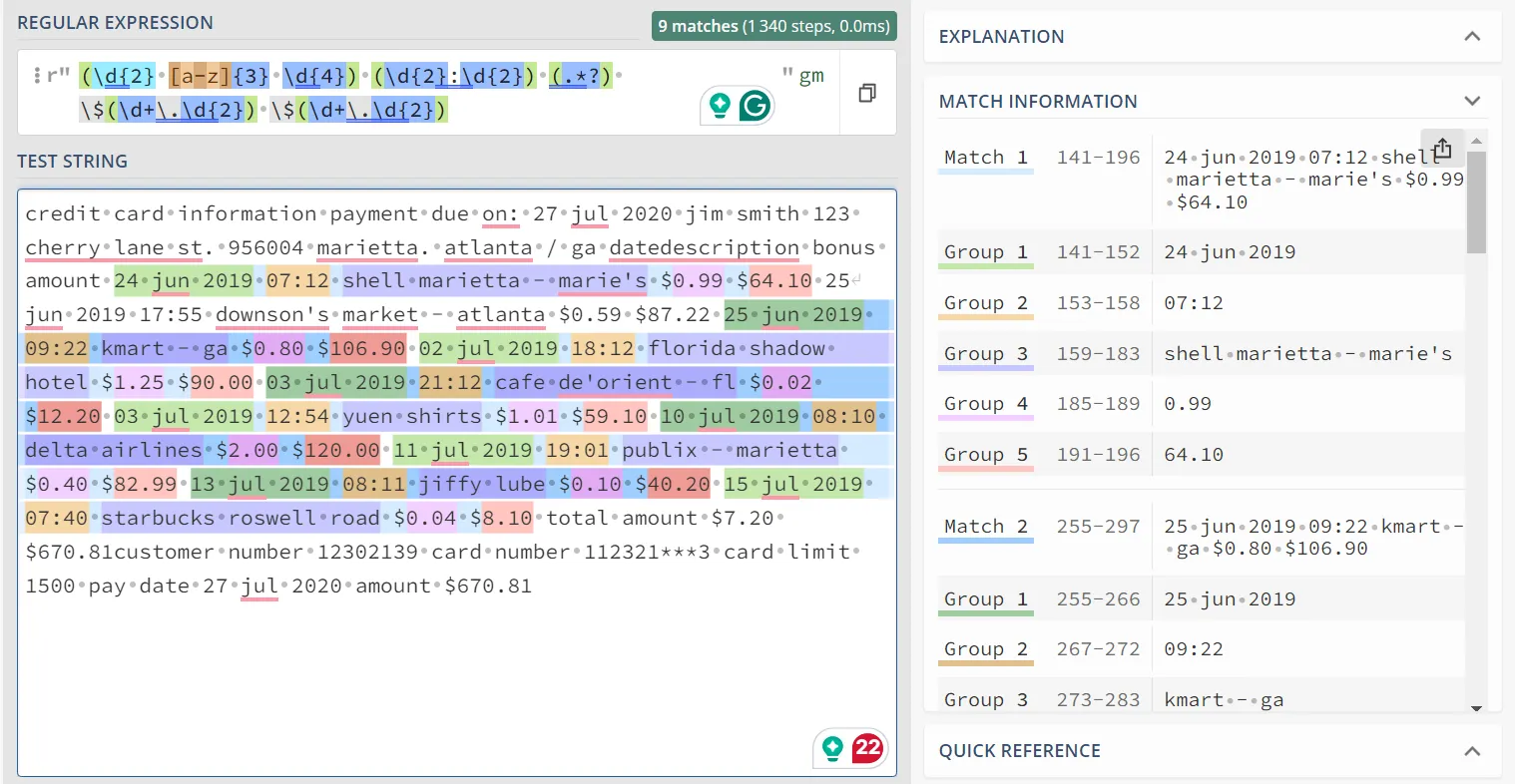
Pattern Detection
Regular expressions identify transaction lines and capture dates, descriptions, and monetary values. Patterns are tested against multiple examples before entering the production workflow.
Structured Transactions
Validated records are loaded into a pandas DataFrame and enriched with metadata such as filename and page number, allowing every transaction to be traced back to the originating document.
| Source file | Page | Date | Time | Description | Charge | Cashback | Type |
|---|---|---|---|---|---|---|---|
| statement_01.pdf | 1 | 02 Apr 2024 | 10:35 | Example Merchant | 42.90 | 0.00 | Charge |
| statement_01.pdf | 1 | 04 Apr 2024 | 16:15 | Cashback Reward | 0.00 | 1.25 | Cashback |
Export
The final dataset is exported as CSV or Excel, ready for reconciliation, categorization, reporting, or downstream analytics.
Full Implementation on GitHub
Review the complete implementation, including the synthetic source document, notebook, extraction logic, validation steps, and generated outputs.
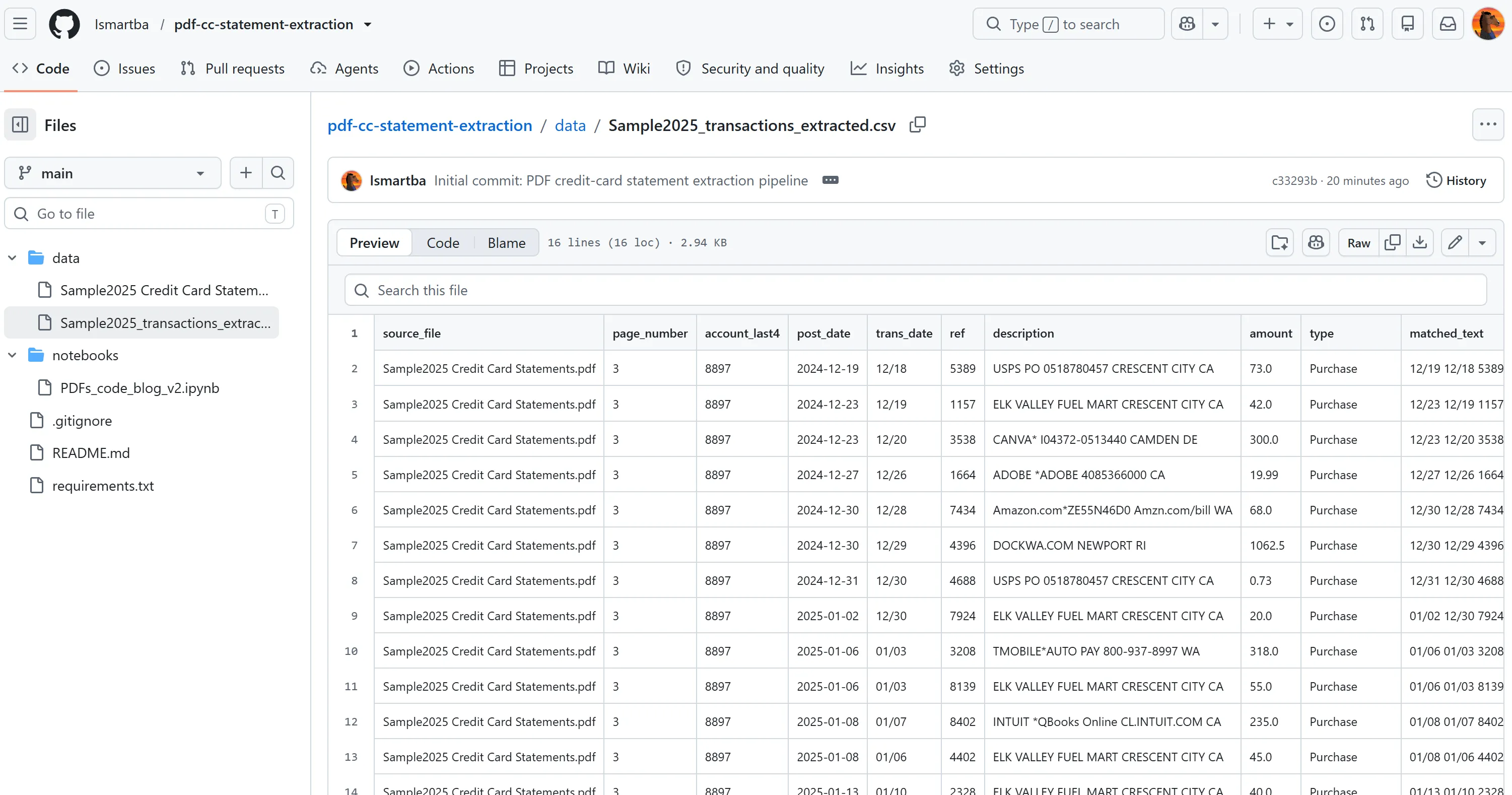
The repository contains:
- Jupyter notebook
- PDF ingestion pipeline
- Preprocessing utilities
- Regex parsing logic
- Validation routines
- Synthetic sample statements
- Generated CSV outputs
Repository snapshot
- Approx. 600 lines of notebook code
- Modular parsing functions
- Reusable regex patterns
- Synthetic demonstration dataset
- Fully reproducible workflow
07Files
08Disclosure
This case study is based on a real PDF extraction workflow developed for financial data processing.
The public version has been reconstructed using synthetic statements. Account numbers, names, transaction descriptions, dates, and monetary values have been replaced or generated for demonstration purposes.
The notebook has been reorganized for portfolio presentation. While parts of the implementation have been simplified, the methodology remains unchanged:
- PDF ingestion
- Document-specific preprocessing
- Regular-expression matching
- Structured data creation
- Validation
- Source-level traceability
Any metrics or outputs shown are illustrative unless explicitly identified as measured project results.